
Vault Lens (formerly Obsidian Browser Search)
/ 5 min read
Last Updated:The extension is now available on the Chrome Web Store, the Mozilla Add-on Store and the Microsoft Edge Add-on Store.
💡 This extension requires Obsidian open and running in the background and either the Omnisearch or Obsidian REST API Plugin installed.
I built Vault Lens because switching between Obsidian and the browser while researching constantly broke my flow. The extension brings your vault into the browser sidebar, so relevant notes surface while you search or revisit saved pages.
The Problem
Vault Lens resurfaces notes from your Obsidian vault while you browse the web. Relevant notes appear alongside your search results, or automatically when you revisit a page you’ve already saved.
Evernote-Like Search Integration
If you’ve been missing the Evernote browser search extension, this is the equivalent for Obsidian users. Vault Lens searches your vault as you type into any search engine, displaying matching notes alongside your results.
Web Clipper Companion
Pair this extension with the Official Obsidian Web Clipper to create a powerful research workflow. Save articles, highlights, or web content to your Obsidian vault using the Web Clipper. Then, let Vault Lens resurface those notes automatically as you revisit the same page or type a related search in your browser.
Together, these two tools create a tighter research workflow: save with the clipper, resurface with Vault Lens.
Using Extension Features
Live Search
The main feature of this extension is the live search. As you type your search in a search engine the extension will fetch the search results from your Obsidian Vault and display them in the sidebar. The search results are updated as you type and you can scroll through them to find the note you are looking for.
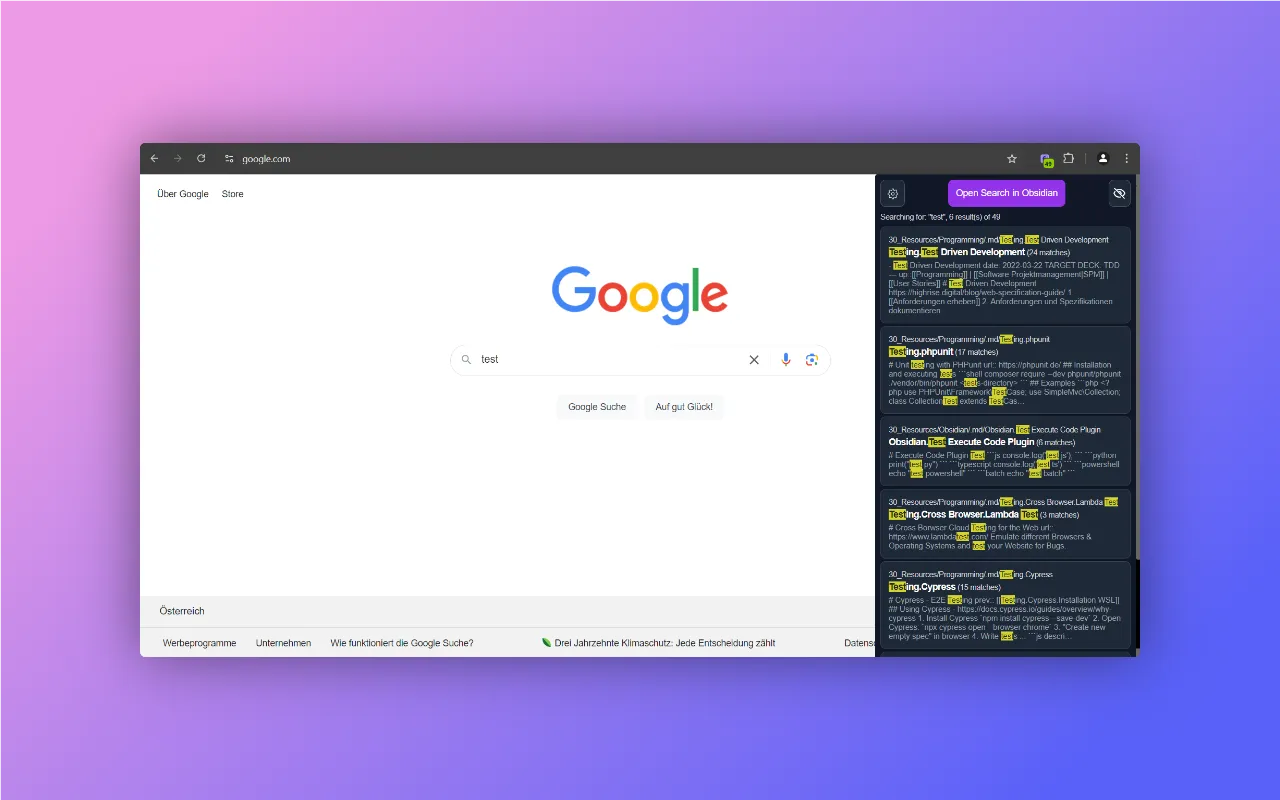
You can configure live search behavior in the extension settings. You can choose the domains on which the extension should look for search input and trigger the live search. All other pages will be matched by URL instead of search input.
Note Recall / URL Matching
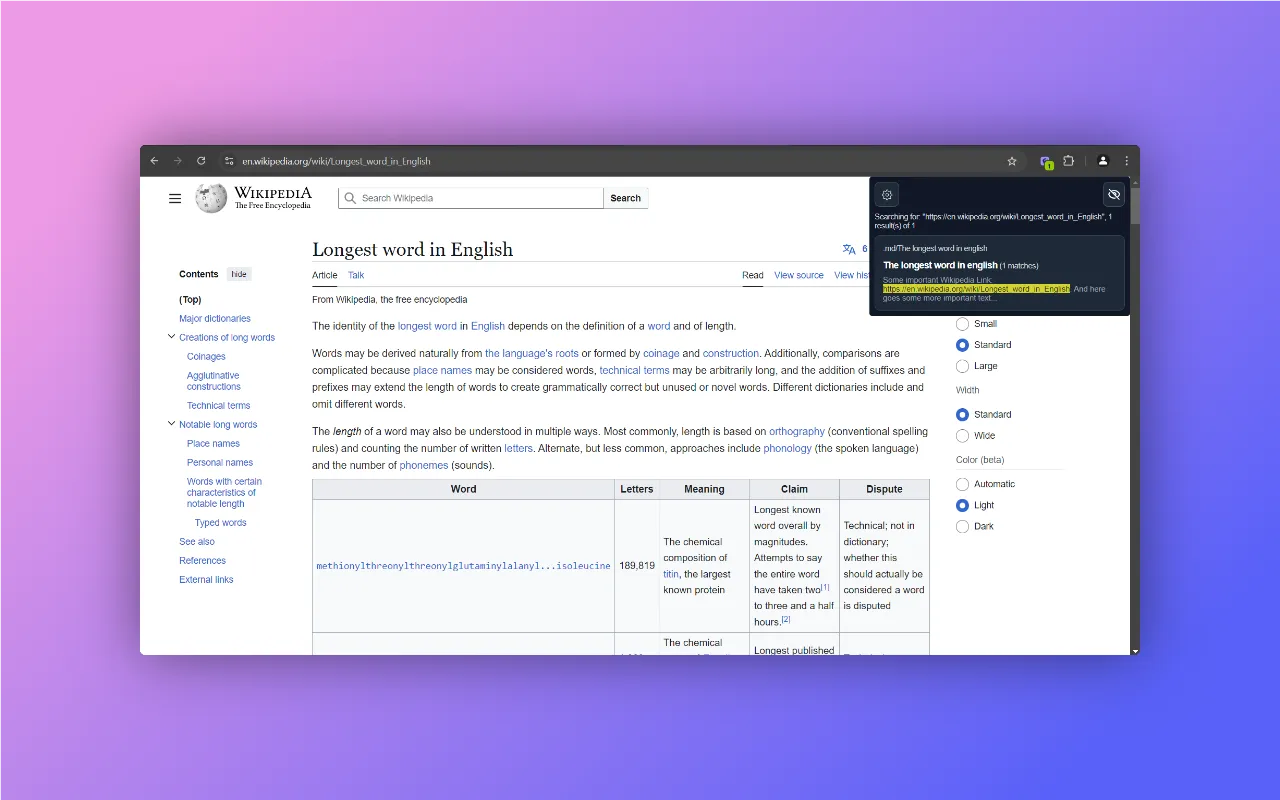
If you are currently on a page that you have saved in your Obsidian Vault somewhere the extension will automatically show you all notes that contain the URL of this page in the sidebar. This feature is particularly helpful for locating notes tied to specific websites. Or if you want to see if you have already taken notes on a page you are currently reading. The URL matching is only triggered if the current page does NOT match a configured live search domain in the settings.
Choose Search Provider
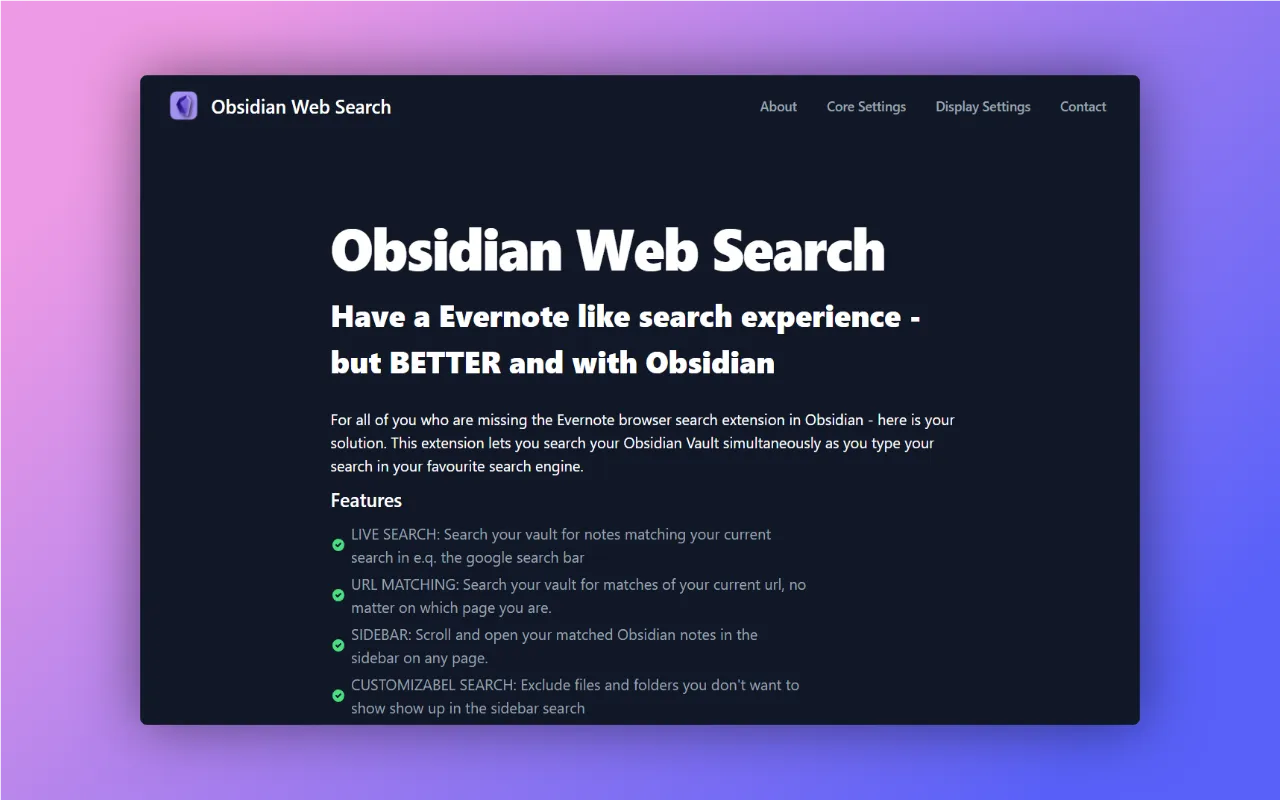
To fetch search results from your Obsidian Vault you can choose between the Obsidian Local REST API Plugin or the Omni Search Plugin. The extensions requires one of these plugins to be installed and enabled in your Obsidian Vault.
If you use the Omni Search Plugin make sure to enable the HTTP Server API in the settings of the plugin.
In case you are using the Obsidian Local REST API Plugin you need to copy the API-Key from the obsidian plugin the settings and enter it in the extension options.
💡 Tip: If you work with non-Latin scripts such as Chinese or Japanese, consider using the Obsidian Local REST API Plugin for better search results.
Embedded Search Results
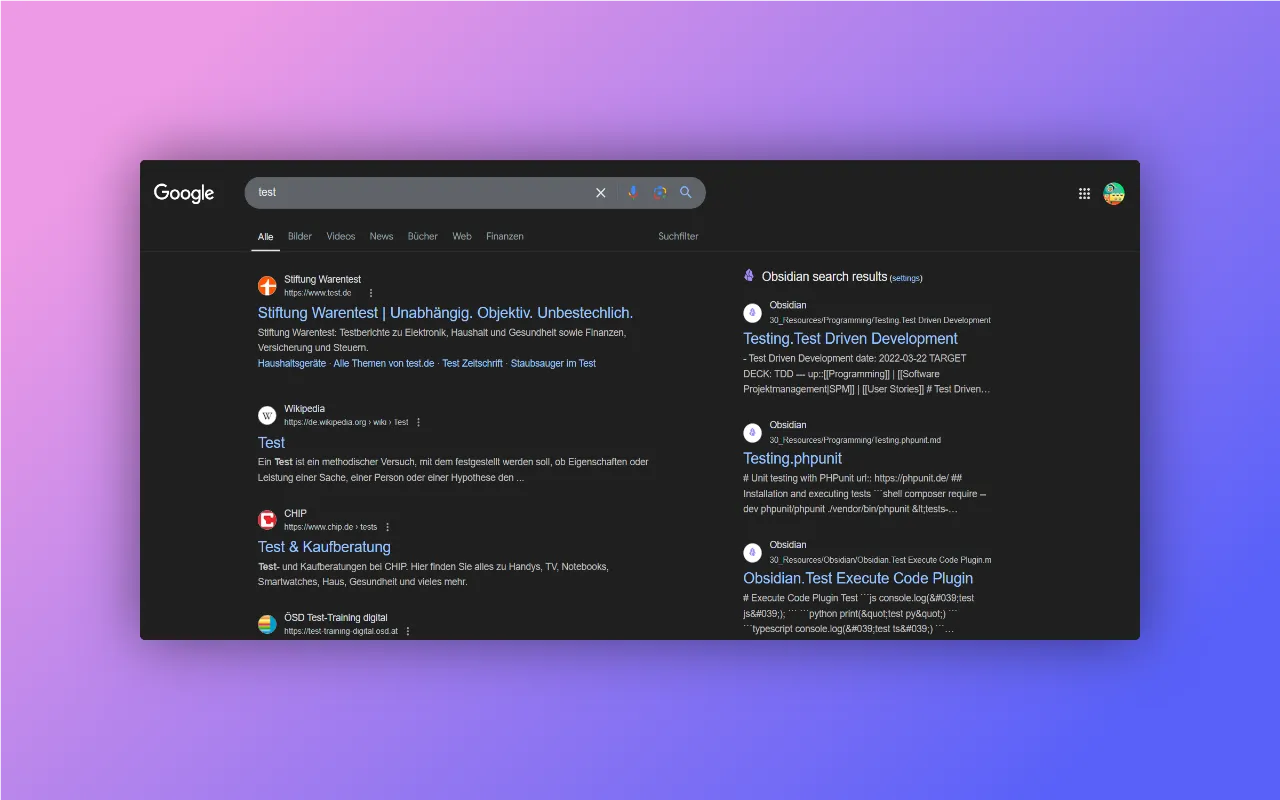
This extension supports embedded search results on Google, Bing, Kagi and DuckDuckGo. If the extension detects that a the user is on one of those search engines it will automatically embed the search results in the search page sidebar. The Search Results are styled to match the search engine design. Embedded search results can be toggled on or off in the settings.
Customize Settings
There are a few more settings you can customize to your liking:
- Exclude files and folders you don’t want to show up in the search results
- Customize how much context you want to see
- The number of characters to trigger live search
- The number of notes to show in the search results
- … and more
Data & Privacy
All interactions between the extension and your vault occur locally on your machine. No data is sent to external servers. The only data that is stored permanently in the browser are the settings including the Obsidian REST API-Key. If you are interested check out the GitHub Repository yourself - it is open source.
Check Browser Compatibility
The extension supports Chrome as well as Firefox, by using the webextension-polyfill library of mozilla.org. Feel free to create a Firefox-specific build and test the extension, for details checkout the GitHub Repository.
If you do so I would love to hear your feedback!
Feedback and Contribution
If you have any feedback or ideas for improvement or you notice some bugs feel free to open an issue on the GitHub Repository or leave some feedback and some stars on the Chrome Store.
Credits & Disclaimer
⚠️ Disclaimer: This is an unofficial extension for Obsidian and it is not connected to the developers of Obsidian.md app or the official Obsidian Web Clipper. The obsidian logo is property of https://obsidian.md.
First of all a big thanks to the creators of Obsidian for providing such an awesome tool for note-taking and knowledge management.
Thanks to the creator of the Obsidian Local REST Api Plugin @Adam Coddington for his awesome work as well as to @scambier for the obsidian-omnisearch plugin. Furthermore, kudos to the creator of the Vite Chrome Extension Plugin for enabling fast and easy development with Vue! Big thanks also to the team of Flowbite™ for providing such awesome free Tailwind components!
Try It
Your notes are always a click away. Give Vault Lens a try and see if it fits your workflow.
